Private beta: we are looking for design partners
Video Context

Video Context for traffic

Every junction counted. Every incident flagged.

Video Context turns the traffic cameras you already have into live counts, flow data, and incident alerts, without new hardware and without someone watching every screen.

Join the beta
Frames
carvancarcarVehicles
lane 1 · 42 km/hlane 4 · 18 km/hLanes
Flow
cars 1,182vans 96buses 34
Counts
cam_m4_j12.mp4 → context.jsonwatching
{
"video_id": "cam_m4_j12", "hour": "08:00",
"vehicles": { "car": 1182, "van": 96, "bus": 34 },
"lanes": [ { "lane": 1, "speed_kmh": 42 }, { "lane": 4, "speed_kmh": 18 } ],
"flow": { "direction": "northbound", "queue_m": 640 },
"incidents": [ ]
}

We help transport teams understand every camera. Vehicles, bikes, and pedestrians are counted per lane and per hour, incidents are flagged in seconds, and queues and journey times are measured at every junction. Search past footage when you need evidence, or trigger an alert the moment something changes.

Who it is for

You should be here if…

  • 01

    You have thousands of camerasand almost nobody watches the footage.

  • 02

    Your counts come from surveysonce a year, when you need them every hour.

  • 03

    Incidents are found too latewhen someone calls them in.

  • 04

    You need evidence from past footageand searching it takes days.

  • 05

    Your footage cannot leave your networkand you need video AI that runs inside it.

  • 06

    You want alerts on autopilotsent the second a lane is blocked.

Why transport teams need it

Cities and operators already have thousands of cameras, and almost all of their footage is never watched. Counts come from manual surveys, and incidents are found when someone calls them in.

Video Context turns the cameras you already have into a source of data. It counts and classifies traffic, measures flow, and flags incidents as they happen, without new hardware.

How it works

  1. Connect your existing camera feeds or recordings.
  2. Video Context counts and classifies vehicles, bikes, and pedestrians, and measures queues and flow.
  3. Your team sees counts and trends per junction, lane, and hour.
  4. Automations send an alert when an incident is detected.

What changes

  • Counts every hour, every day, not one survey a year.
  • Incidents are flagged in seconds.
  • Past footage is searchable when you need evidence.
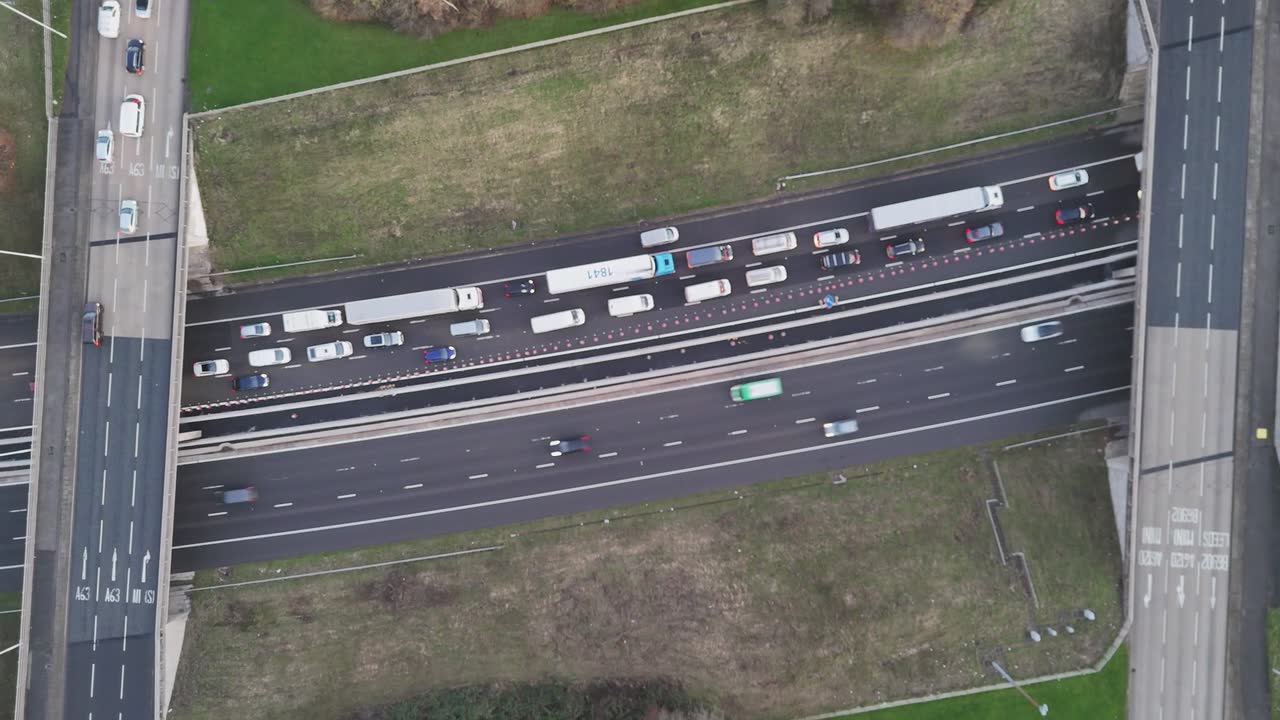
Watched by Video Context

Junction 4, this morning

Camera 4 · 07:00 to 10:00 · 6,940 vehicles

  • 07:42Queue starts to build westboundQueue
  • 08:15Queue reaches 420 metresAlert
  • 08:41Stopped vehicle in lane 2Incident
  • 09:20Traffic back to normalClear

✓ Your team got an alert 12 seconds after the incident.

Speed

Super fast. At any scale.

Other tools watch a video frame by frame. We read every layer at once, so your insights are ready while they are still watching.

Time to process the same video · shorter is faster

  • Video Context✓ fastest
  • Cloud video AI API4× slower
  • Multimodal LLM8× slower
  • Frame-by-frame vision16× slower

Every layer at once

not frame by frame

One API call

for all of the data

Any scale

from one video to a whole archive

Illustrative comparison for the private beta. We will publish the full method and the results.

You’re in safe hands

Deploy anywhere. Keep control.

Our cloud

Call the hosted API. Nothing to run or scale.

Your cloud

We deploy into your AWS, GCP, or Azure account. Your video stays there.

Your servers

Run it on your own GPUs. No data leaves your network.

Built for agents

Ask for the outcome. Agents do the rest.

Video Context gives ChatGPT, Claude, Gemini, or your own agent the tools to watch, search, and edit video. One request becomes a finished job.

Works withChatGPTClaudeGemini
  1. Tell me which junctions had queues over 300 metres this morning, and alert me if it happens again.
  2. query_segments(queue_m > 300 · 07:00–10:00)3 junctions
  3. understand_video(cam_junction_04.mp4)queue 420 m · 17 min
  4. create_alert(queue_m > 300)alert on
  5. Junctions 4, 7, and 12 queued over 300 m. The worst was junction 4 at 420 m. I will alert you next time.

    0:30

    morning_queues_report

    J4 420 mJ7 360 mJ12 310 m

FAQ

Questions, answered.

Common questions about Video Context for traffic.

Do we need new cameras?+

No. Video Context works with the footage from cameras that you already have.

Does Video Context identify individual people?+

No. For traffic use, Video Context counts and classifies road users and detects events. It does not identify individuals.

Can it run inside our own network?+

Yes. Video Context can run in your own cloud account or on your own servers, so footage stays in your network.

Your videos contain
valuable data.
Start using it.

Analyse video at scale. Find exactly what you need. Give your products and AI the context to act on it.